
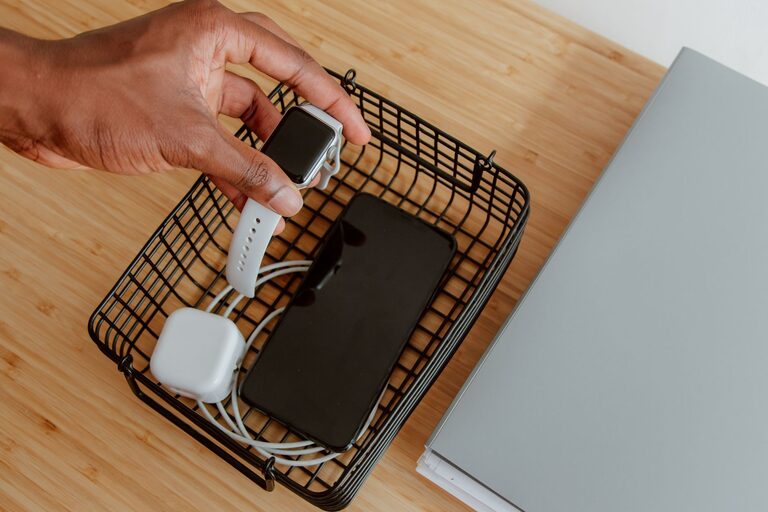
Setting up a dedicated charging station for your devices is a simple way to keep your gadgets powered up, organized, and ready to use. With multiple smartphones, tablets, smartwatches, and other electronics in most households, having one spot to charge everything helps reduce clutter and save time. This guide walks you through the process of creating a practical charging station that fits your needs.
Why Create a Charging Station?
Before diving into the setup process, it’s helpful to understand why a charging station matters:
– Organization: Keeps all devices and cords in one place.
– Safety: Reduces tripping hazards and avoids tangled cables.
– Convenience: Charges multiple gadgets simultaneously.
– Aesthetics: Creates a clean, tidy look for your living or work space.
Step 1: Choose the Location
Select a spot that’s easily accessible and close to power outlets. Common locations include:
– Kitchen counters
– Office desks
– Living room side tables
– Bedroom nightstands
Make sure the area has enough space to hold your devices and chargers comfortably.
Step 2: Decide on the Charging Setup
There are several options for charging stations, depending on your preferences and budget:
Multi-Port USB Chargers
These chargers provide multiple USB ports in a single device, allowing you to plug in several cables at once. Look for chargers with smart charging technology that adjusts power output per device.
Wireless Charging Pads
If your devices support wireless charging, a pad can reduce cable clutter further. Wireless stations often have spots for a phone or smartwatch to rest and charge without plugging in.
Charging Organizer Boxes or Stands
These come with built-in compartments to hold devices upright and hide cables neatly. Some models include integrated chargers.
Step 3: Gather the Necessary Equipment
You’ll need the following:
– Multi-port charger or wireless pad
– Charging cables compatible with your devices (USB-C, Lightning, Micro-USB)
– Cable clips or ties to keep cords tidy
– A small tray or organizer (optional)
– Power strip with surge protection (if needed)
Step 4: Set Up and Arrange Your Station
- **Place the charger or charging pad** on your chosen surface.
- **Connect your cables** to the charger.
- **Organize the cables** using clips or ties to avoid tangling.
- **Arrange your devices** on or near the charging station.
- **Test each charger port** with your devices to ensure proper connection.
Step 5: Maintain Your Charging Station
– Regularly clean the area to remove dust.
– Check cables for wear and replace if frayed.
– Avoid overloading chargers beyond their recommended capacity.
– Keep devices updated to maximize charging efficiency.
Tips for a Better Charging Station Experience
– Label cables or use color-coded ties if multiple people use the station.
– Use a charging timer or smart plugs to prevent overcharging overnight.
– Consider a portable charging station if you need mobility.
– Keep a backup power bank nearby for on-the-go charging needs.
Conclusion
A well-planned charging station can significantly improve your device management and daily routine. By selecting the right location, charging equipment, and keeping your set-up tidy, you’ll enjoy a clutter-free space with all your devices ready to go when you need them.
Creating a dedicated charging station is an easy, practical upgrade for any home or office. Start organizing your device charging today and experience the difference!